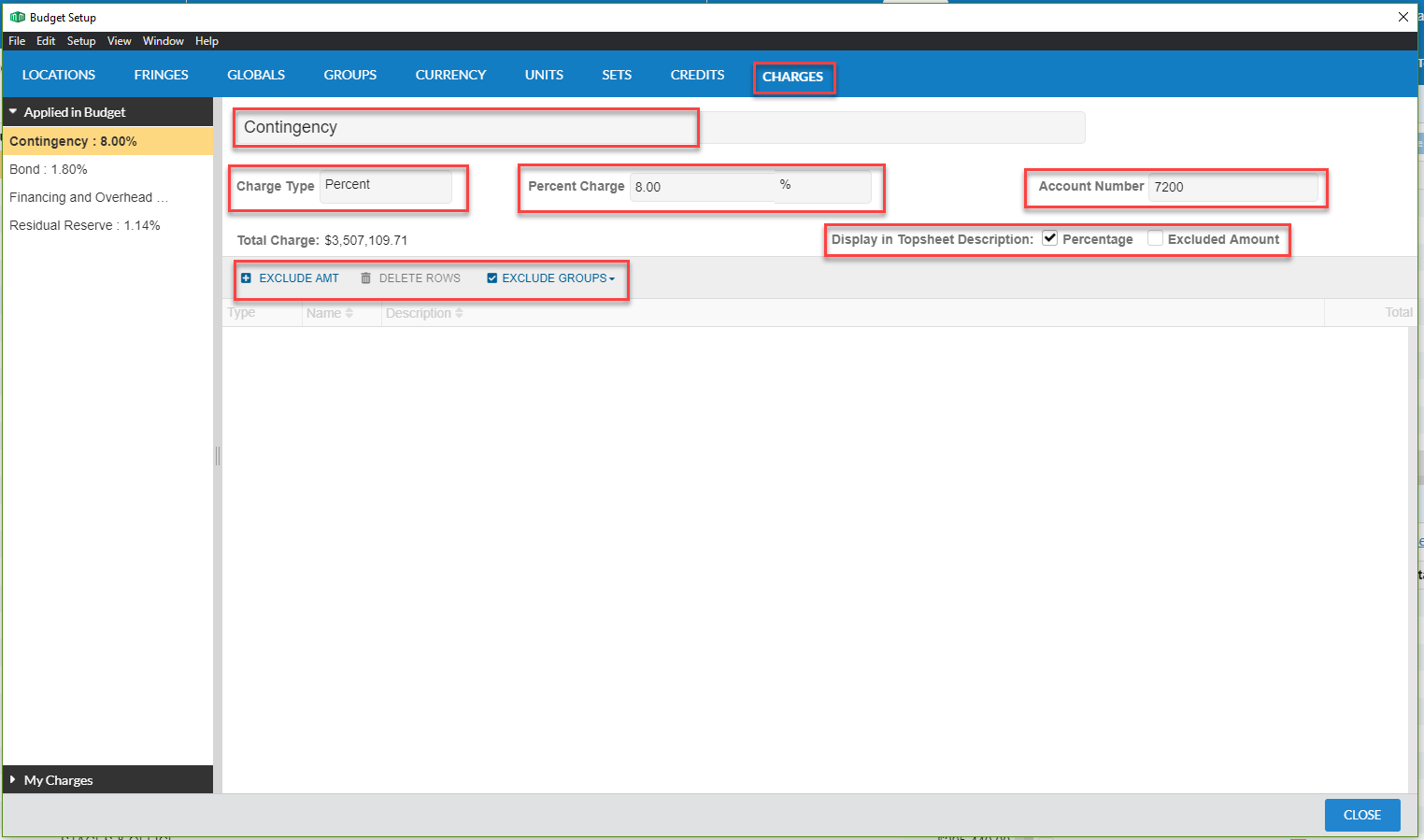
Summary: This article details the process for the user to get to the Charges and the settings to add and edit them in the new Movie Magic Budgeting program.
Solution:
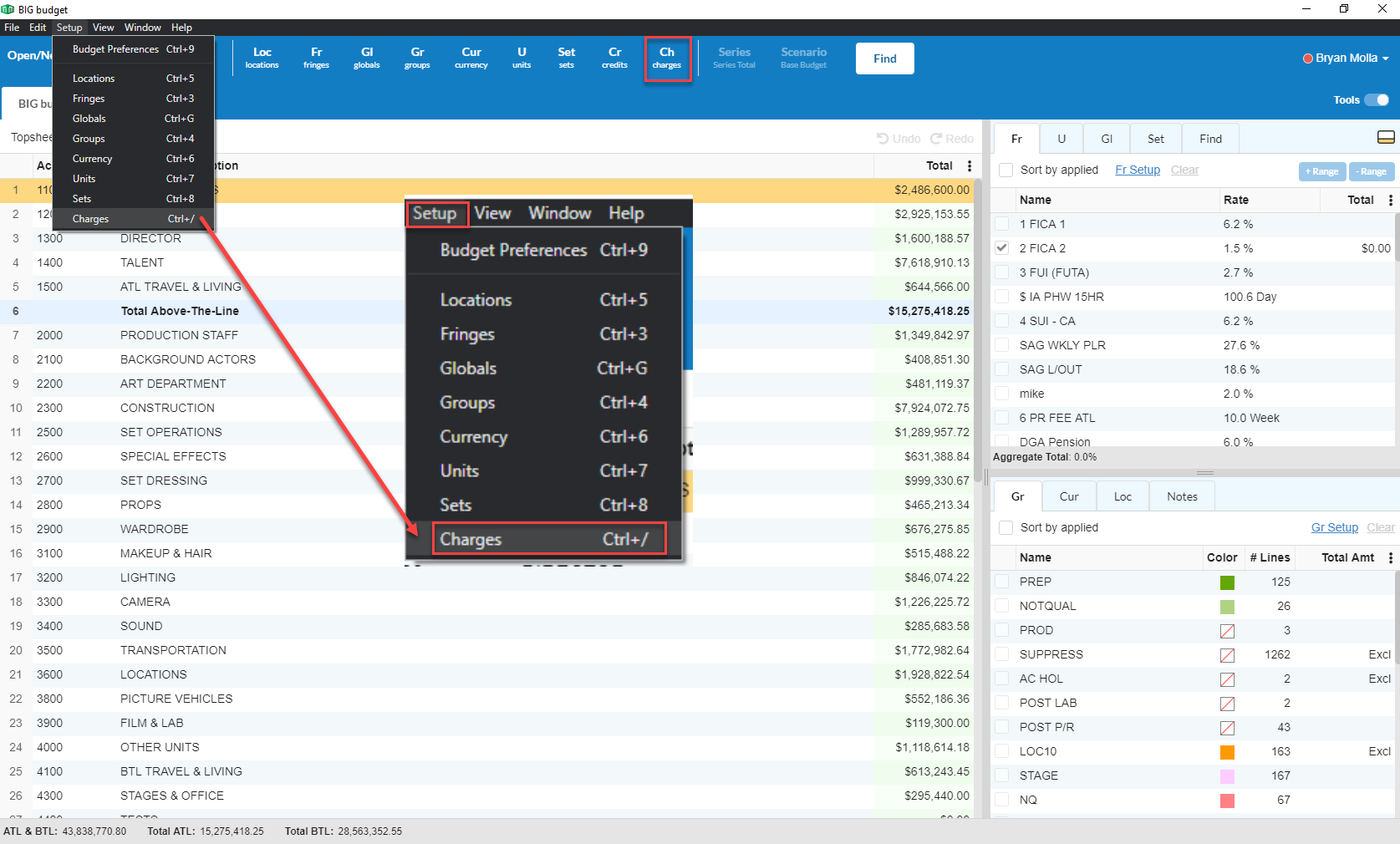
- In the menu bar, go to Setup and select Charges or select the Charges icon from the toolbar at the top. This opens the Budget Setup window with Charges tab selected.
2. On the top, above the columns, are Exclude Amount, Delete Rows, and Exclude Group options.
3. On the left-hand side of the screen, you will be able to Add and Remove Charges categories.